

ParentSquare is a unified communication platform that helps keep parents and guardians informed and connected to Liberty Central School District. This is replacing SchoolMessenger and classroom-based platforms, such as Class Dojo, for school-to-home communications. The contact information parents and guardians have on file in SchoolTool has been transferred to ParentSquare.
It is very important that parents and guardians accept the invitation or register their account and download the app to ensure they continue to receive all of the important information from their child’s school and the district.
Program Overview
View in English
View in Spanish
Getting Started
All parents and guardians on file with the school district should have received an invitation to set up an account in ParentSquare.
To complete sign up:
- Open the invitation email or text and click Activate your account.
- Create a password for your ParentSquare account and click Register.
- Confirm your email or phone number and enter the verification code sent to you.
- Confirm your children and click Yes, this is me.
Those who did not receive an invitation can visit the ParentSquare website to sign up using the email address or cell phone number on file with the district.
Mobile Apps
The Mobile Apps can be downloaded for free via the Apple App Store or Google Play Store.
The app is available for download on the Apple App Store and Google Play:

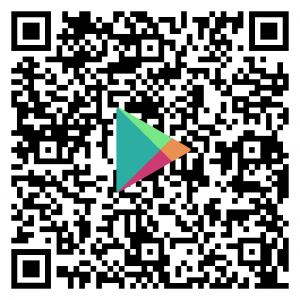
If you are on a computer, scan the following QR codes with your phone or tablet to access the app download pages:

ParentSquare Resources
- A comprehensive training video is available for parents and guardians:
- There is also an online training course available for parents and guardians (you must be logged in to ParentSquare to view):
- Parents and guardians can access a variety of resources directly through the ParentSquare website (please note, you must be signed in to ParentSquare to access these resources):
About Us Links
Communications Office Contacts
Liberty Central School District
115 Buckley Street
Liberty, NY 12754
Tamia Peguero
Communications Specialist
Phone: 845-292-5400, Ext. 2055
Accessibility Note
If you are unable to access any document on this web page, please contact the Communications Office so that we may provide the information in another format.